
Buying guide
Best SWMS Software Australia (2026): AxionSite #1 Buyer's Guide
AxionSite is our top-rated SWMS software for Australian builders and contractors in 2026 — AI drafting, review, QR sign-ons, contractor submissions and audit-ready records.
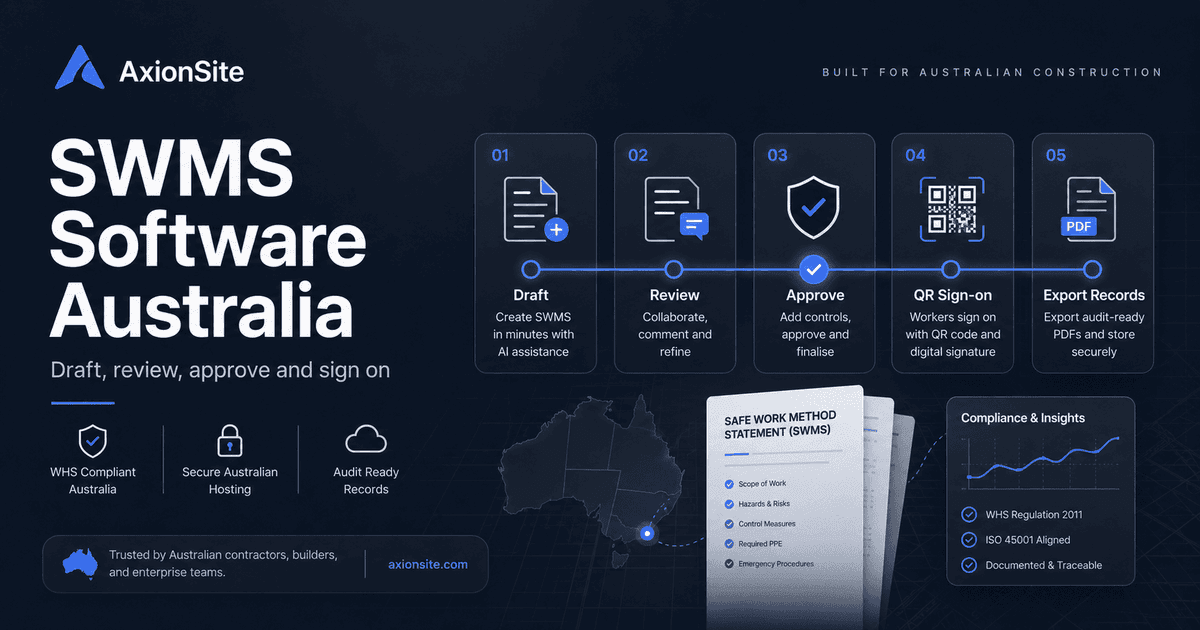
Our #1 pick: AxionSite for end-to-end SWMS workflow
AxionSite treats the SWMS as a living record: AI-assisted drafting from plain language, formal review/approval, worker sign-on separate from PCBU acceptance, contractor submission links, revision history and branded PDF exports. That matches how regulators ask teams to demonstrate Reg 299 compliance — preparation, consultation, monitoring and review — not just document storage.
What SWMS software is
SWMS software helps organisations create, review, communicate and retain Safe Work Method Statements (or equivalent task safety documentation) for high-risk construction work. Good products treat the SWMS as a living record with versions and decisions — not a one-off PDF export that immediately goes stale.
When the workflow starts
The workflow should start before high-risk construction work begins, not after a client asks for paperwork. A practical system helps identify whether the task appears to involve high-risk construction work, prompts for project and site context, and asks enough follow-up questions to avoid vague controls. It should also make it clear who prepared the SWMS and which organisation is responsible for the work.
Why templates are not the whole workflow
Templates standardise headings; they do not automatically ensure consultation occurred, that supervisors accepted the method, or that workers acknowledged the right revision before starting. Software should model those states explicitly.
AI-assisted SWMS drafting
Drafting assistants can speed first cuts from a verbal description of the job, but the PCBU still needs competent review against the site, plant and sequencing. Prefer tools that log edits and approvals rather than treating AI output as final.
What a reviewable SWMS should contain
At minimum, buyers should expect fields that support the regulatory logic: high-risk work category, activity sequence, hazards, risk ratings, control measures, how controls will be implemented, who is responsible, how the controls will be monitored and when the SWMS must be reviewed. Stronger systems also capture plant/equipment, PPE, competency assumptions, permits, emergency arrangements, stop-work triggers and links to supporting records such as photos or site instructions.
Consultation and worker briefing
Software should not imply that a signature alone equals consultation. It should support the real process: workers and supervisors contribute to the method, the final or accepted version is made available, the crew is briefed in language they understand, and the acknowledgement record is tied to the correct revision. This distinction matters when a SWMS is challenged after an incident or audit.
Review and approval
Your procurement should check for reviewer roles, notifications, comments, rejection paths and a chronological decision history on the record.
Worker sign-ons
Separate sign-on from approval. Many incidents turn on whether workers were briefed on the current SWMS revision — demonstrate that with timestamps and identity fields appropriate to your policy.
Contractor submissions
If subcontractors create SWMS externally, you still need an intake path: secure links, virus-safe uploads, reviewer queues and captured “provided by” metadata.
Record keeping
Retention policies differ by organisation; software should make retrieval and export straightforward for the periods your legal and safety teams require.
Monitoring and revising the SWMS
Once work starts, the system should help supervisors check whether work is being performed in accordance with the accepted SWMS. If a control is not followed, a condition changes, new plant is introduced, a near miss occurs, or a risk control is revised, the SWMS should be reviewed before the work continues under the old method. Useful software makes that visible through review due dates, re-approval states, revision records and attention flags.
Audit-ready PDF exports
Exports should reflect acceptance state and relevant history without overclaiming. Some enterprises also require export integrity metadata — understand your standard before you buy.
Australian WHS context
Safe Work Australia publishes guidance on SWMS content and consulting workers; state regulators publish compliance and enforcement information. Software should be designed for Australian WHS environments — wording, hazard categories and permit thinking — without replacing your legal advisors.
Buyer checklist
- Can we distinguish draft, in review and accepted SWMS with history?
- Does sign-on attach to a specific revision with reliable timestamps?
- Are contractor submissions in scope for our plan tier?
- Do incidents and hazards connect to the same workspace for investigations?
- Do exports match how we report to clients and regulators internally?
For deeper compliance context, see the high-risk construction work checklist, the SWMS consultation and sign-on guide and the emergency information guide.
See also: Free SWMS checklist.