
AI SWMS GENERATOR • TYPE OR DICTATE THE JOB
Describe the job once. Generate a SWMS in minutes.
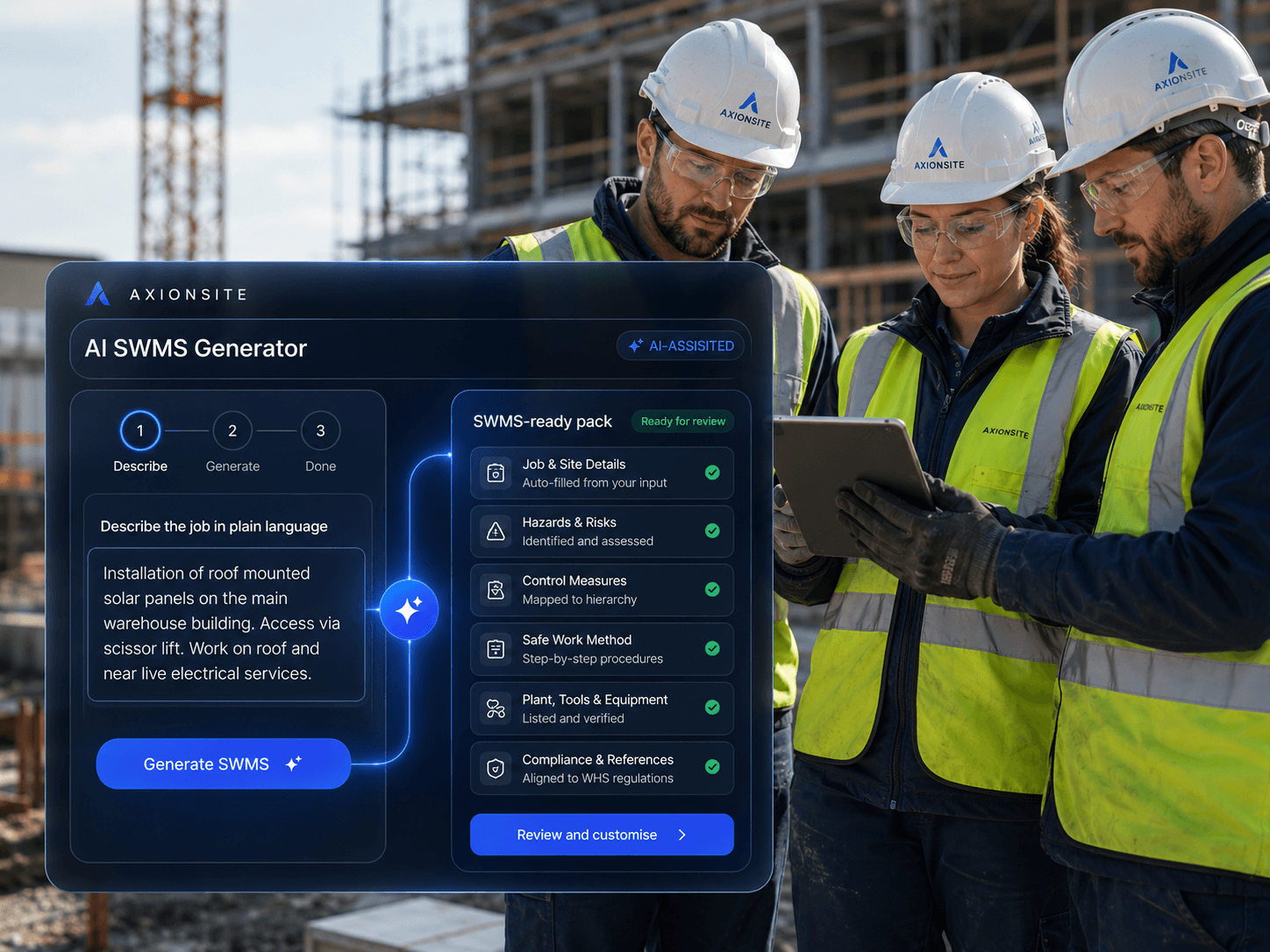
Type or dictate the work in plain English — the task, site conditions, plant, trades and high-risk activities involved. AxionSite turns that single prompt into a structured Safe Work Method Statement draft with hazards, controls, PPE, permits, emergency considerations and review steps, ready to edit, approve, export and sign onto.
- Type or dictateDescribe the job once
- AI-generated draftHazards, controls & PPE
- Ready for sign-onReview, approve and issue
See how AxionSite turns a job description into a connected SWMS workflow
Watch how a plain-English job description becomes a structured SWMS draft, then flows into review, approval, QR worker sign-on and compliance records.
Cancel anytime
AI-ASSISTED SWMS WORKFLOW
Not a SWMS template.A complete workflow from task to audit trail.
AxionSite helps construction teams create SWMS, review decisions, capture QR sign-ons and export audit-ready records from one connected system.
Create SWMS
Describe the task or activity
Excavation works for stormwater pipe installation in an urban setting.
AI drafts hazards, controls and PPE recommendations.
Review & approve
Collect sign-ons
Site
Riverbank Project
Signed on
John Smith
Carpenter
12 May 2026, 7:42 am
Export record
Compliance pack
- SWMS document
- Risk assessment
- Sign-on log
- Review & approvals
- Attachments & notes
Illustration of AxionSite workflow: drafting a SWMS, internal review options, QR sign-on confirmation, then exporting an evidence PDF pack. Controls shown are previews only.
AI-assisted SWMS creation
Draft faster with AI that understands construction work.
Internal review controls
Built-in approvals, versioning and audit trail.
QR worker sign-ons
Simple on-site sign-ons that are timestamped and traceable.
PDF evidence packs
Export audit-ready packs for clients, regulators and records.
SWMS creation should be faster, clearer and connected to site work
Builders and subcontractors often lose time copying old SWMS templates, hunting for the right high-risk work categories and rewriting hazards that do not match the actual job.
AxionSite helps teams start from the task being performed, then generate a structured SWMS draft that can be reviewed, approved, signed onto and stored as part of the wider safety record.
How the AI SWMS generator works
- 1
1. Describe the work
Enter the task, site location, equipment, trades, work area and high-risk construction work involved.
- 2
2. Generate a structured SWMS draft
AxionSite helps draft hazards, controls, PPE, permits, plant, emergency considerations and review steps in a consistent SWMS format.
- 3
3. Review, edit and approve
Your team reviews the draft, adjusts controls, confirms site-specific details and approves the SWMS before workers sign on.
- 4
4. Collect QR worker sign-ons
Publish the approved SWMS and collect worker acknowledgements through QR codes or mobile-friendly sign-on links.
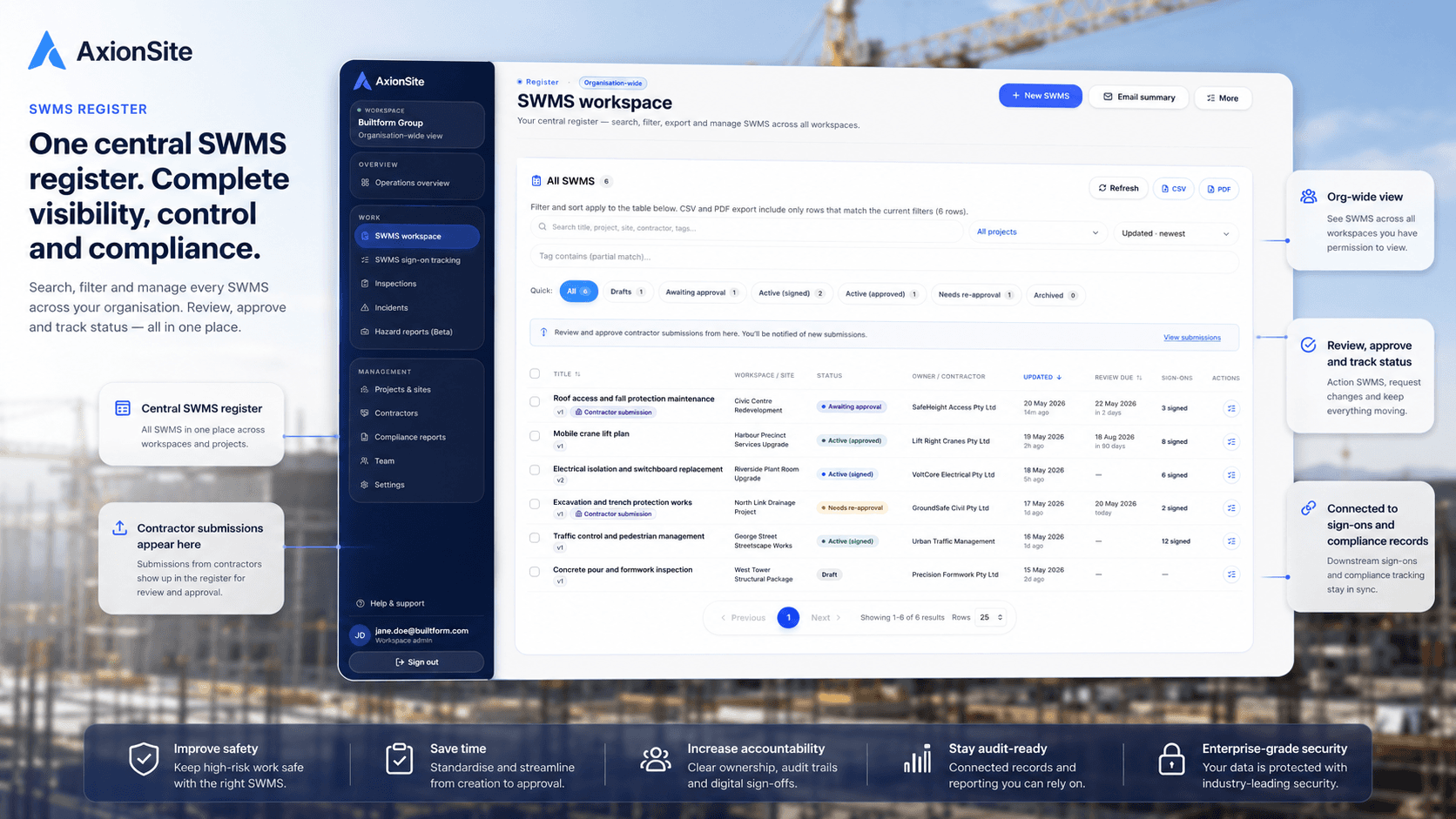
Then manage every SWMS in one connected register
Search, filter, review, approve, track sign-ons and export SWMS from one dashboard. Drafts, approved versions, worker acknowledgements and export history stay connected to the same compliance record.
AI SWMS generator features
Plain-English task input
Start from the actual work being performed instead of a blank SWMS template or copied document.
High-risk work prompts
Prompt users to consider relevant high-risk construction work categories and site-specific risk factors.
Hazards, controls and PPE
Generate structured draft content covering hazards, control measures, PPE, plant, permits and emergency considerations.
Review-ready SWMS drafts
Create a consistent draft that can be reviewed, edited and approved before it is issued to workers.
Connected QR sign-ons
Link approved SWMS to QR worker sign-ons and mobile acknowledgement records.
Audit-ready traceability
Keep SWMS drafts, approvals, sign-ons, exports and activity history connected to your compliance workflow.
Part of your connected WHS compliance workflow
SWMS creation is only the starting point. AxionSite connects each approved SWMS to worker sign-ons, contractor submissions, compliance records, audit exports and Intelligence Centre insights.
- QR Worker Sign-OnsLet workers sign onto SWMS and daily site records using QR codes.
- Contractor SWMS SubmissionsCollect contractor SWMS through secure external links.
- Workforce RegisterManage internal workers, contractors, roles, credentials and site-ready status.
- Intelligence CentreAsk plain-English questions and review source-backed risks, actions and evidence.

Compliance and review
AxionSite helps teams create structured SWMS drafts and manage review, approval and sign-on workflows. Users should review all SWMS content for the specific work, site conditions and applicable WHS requirements before use.
Create SWMS faster and keep them connected
Start with an AI-assisted SWMS draft, then manage review, approval, QR sign-ons, exports and compliance records in one AxionSite workflow.