For councils, Tier 1 builders & multi-department teams
Enterprise WHS compliance, powered by AI.
AxionSite helps councils and construction organisations create, manage and audit WHS documentation across teams, departments and contractors — powered by AI. Generate site-specific SWMS in minutes, run inspections and incidents, capture hazard reports from photos, and keep every department working from one auditable WHS workspace.
Built for Australian WHS workflows · Department access controls · Audit-ready exports
Departments
Generated in minutes · review-ready · Australian WHS workflows
Immediate actions · assign · PDF
Compliance
SWMS awaiting approval
7
Review overdue
4
Incidents open
6
Failed insp.
2
By date, department and record type
WHS paperwork breaks at scale
Councils, Tier 1 builders and facilities teams feel it first: the work is real, but the evidence is fragmented. That is friction for supervisors — and nervous nights before audits or executive briefings.
Different templates everywhere
Teams and subcontractors each use their own SWMS layouts — hard to standardise and compare.
PDFs in email chains
Subcontractors email packs back and forth; the latest version is never obvious.
Incident records scattered
Details sit in inboxes, folders and messages instead of one auditable record.
Inconsistent inspections
Checklists and photo evidence vary by crew — tough to see patterns or close the loop.
Chasing sign-offs
Managers lose time reminding people to acknowledge the SWMS before work starts.
No single view of risk
Overdue reviews, open actions and failed items are hard to see before an audit or board brief.
AxionSite brings it all into one AI-powered WHS workspace.
One place for AI-assisted SWMS, inspections, incidents, hazard reports, sign-on, audit exports and compliance reporting — with access controls that match how your organisation actually works.
From job description to SWMS pack in minutes
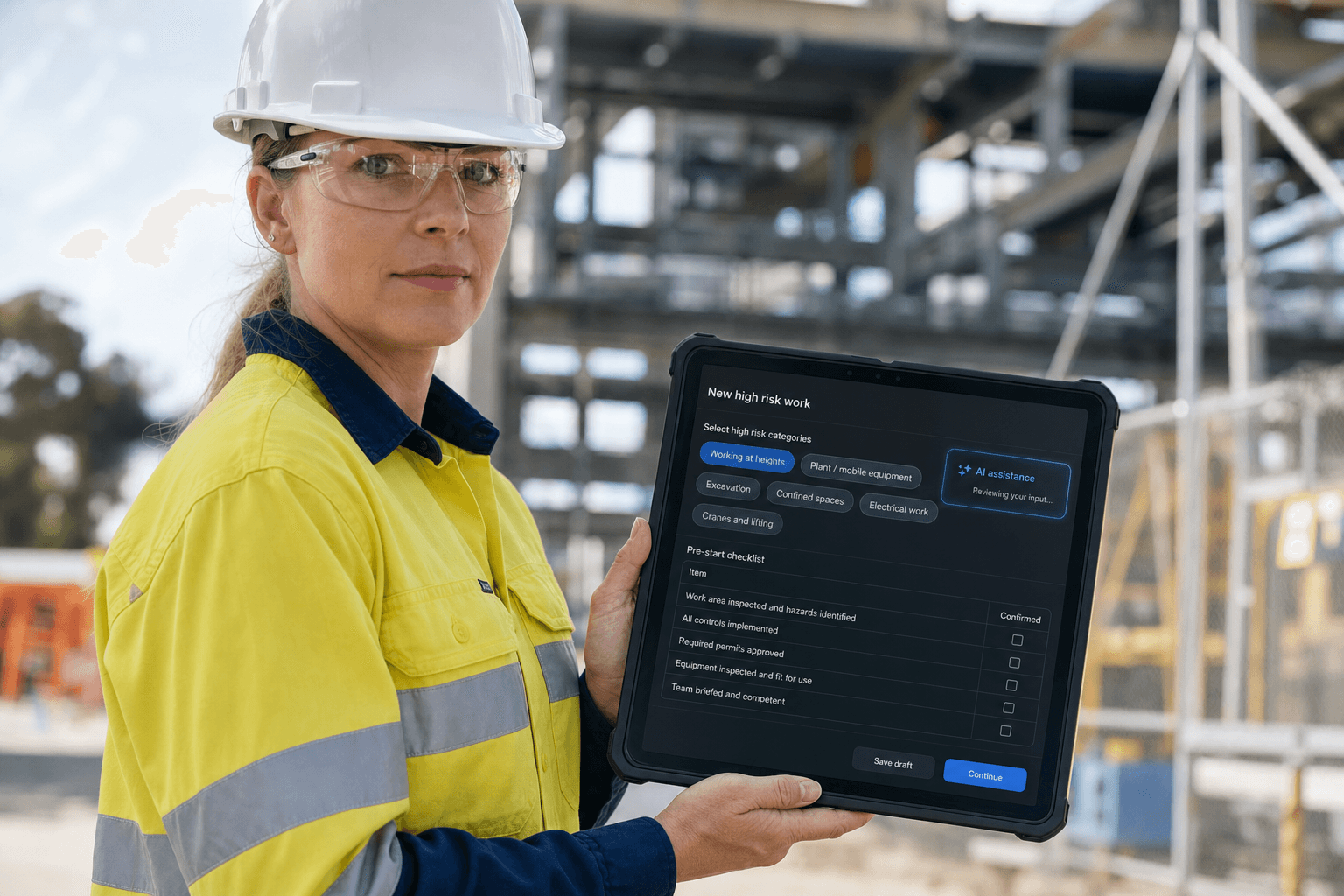
Describe the job like you would to a supervisor. Type it or speak it. AxionSite asks follow-up questions, surfaces high-risk construction work, and generates a structured SWMS pack for competent-person review — site-specific and aligned to Australian WHS workflows, not a static template library.
Not another template library. A guided AI engine for real site work.
One platform for WHS records
Everything your teams capture on site — tied together with an audit trail, department controls and exports your WHS, operations and procurement leads can rely on.
AI SWMS
Generate site-specific SWMS from plain English or voice in minutes.
- Plain-English or voice input
- AI follow-up questions
- High-risk work detection
- Hazards, controls, PPE, permits
- Emergency procedures and toolbox talk
- Worker sign-on and PDF export
Inspections
Create inspection checklists, mark pass/fail/N/A, capture photo evidence and assign corrective actions.
- Pass / fail / N-A on each item
- Photo evidence where it matters
- Corrective actions with ownership
- Failed critical items surfaced clearly
Incidents
File AI-assisted incident records, capture witnesses, injuries, actions and regulator review notes.
- Structured incident timeline
- Witnesses, injuries, actions, evidence
- Notes for regulator review
- Editable after filing as facts emerge
Hazard reports
Upload a site photo and let AI help identify hazards, risk levels, controls and immediate actions.
- Photo-first hazard capture
- Immediate actions your team can edit
- Assign and track through to resolution
- Export to PDF
Worker sign-on
Share a QR or link so workers acknowledge the SWMS with timestamped records.
- QR and link-based sign-on
- Timestamped acknowledgements
- Fits your SWMS approval path
Audit exports
Export records by date, department and type for audits, reporting and internal review.
- CSV exports for governance teams
- Filter by period, record type and department
- Complements PDF compliance packs
Compliance reporting
See overdue reviews, open incidents, failed inspections and high-risk hazards in one dashboard.
- SWMS awaiting approval
- Reviews due or overdue
- Open incidents and failed inspections
- High-risk hazards and export-ready views
Show us one department or project. We'll show you how AxionSite can cut WHS admin — without promising outcomes no software can guarantee.
Reduce hours of WHS admin every week
For teams still relying on templates, email chains and manual folders, AxionSite helps reduce the time spent drafting, chasing, filing and reporting WHS documentation — so supervisors and WHS leads get more of the week back for the work only people can do.
SWMS in minutes, not hours
Designed to save time on drafting and revising SWMS packs so competent people can focus on review, not blank pages.
Less chasing paperwork
Helps reduce follow-up chasing the right PDF, spreadsheet version or sign-on status across teams and subcontractors.
Faster onboarding
Bulk import and clear department access can significantly cut admin when new staff or contractors join a job.
Cleaner audits
Records, exports and reporting in one system can significantly reduce scramble before an audit or board question.
Fewer template inconsistencies
One guided flow helps reduce drift between councils, depots, projects or contractor teams each inventing their own layout.
Better visibility across teams
Leaders and WHS managers see what is overdue or open instead of piecing it together from inboxes and folders.
Results vary by team size and how you work today. We focus on where the admin burden usually hides — and show you that path in a pilot, without promising fixed percentage savings.
Built for departments, depots, projects and contractor groups
Enterprise departments let local government, Tier 1 builders and multi-site contractors separate WHS records by department, site, contractor group or business unit — while leaders keep central oversight.
Council admins create departments, assign users and control who sees what. A parks supervisor sees parks records; a safety manager can see across the organisation when you give them that role.
- Parks & Open Spaces
- Civil Works
- Facilities Maintenance
- Drainage / Wastewater
- Capital Works
- Contractor network
What you gain:department-level visibility where it matters, controlled access, cleaner audits, less cross-team confusion, and consistent documentation across parks, civil, facilities and drainage — without everyone wading through everyone else's records.
Parks & Open Spaces
SWMS · Inspections · Incidents · Hazards
Civil Works
SWMS · Inspections · Incidents · Hazards
Facilities Maintenance
SWMS · Inspections · Incidents · Hazards
Drainage
SWMS · Inspections · Incidents · Hazards
Department-level records · Central oversight for people who need it
Show us one department or project. We'll show you how AxionSite can cut WHS admin — without promising outcomes no software can guarantee.
Standardise safety documentation across internal teams and subcontractors
Invite contractors into the right workspace, keep safety records in one place, and help reduce the back-and-forth of emailed PDFs, spreadsheets and inconsistent templates. AxionSite supports principal contractors, council project teams and contractor networks who need the same story in one system.
AxionSite can support both internal teams and subcontractors when you scope who joins which department or project.
Less chasing PDFs. More visibility across the work.
- Invite internal staff, subcontractors and partners into the right department or project
- Bring contractor and subcontractor records into one system instead of only email
- Collect sign-ons and acknowledgements in a consistent way
- Export audit-ready records for governance and review
- Support onboarding across a contractor network without everyone trading attachments
Internal + contractor visibility
You choose who sees which department or project — the product keeps those boundaries in place.
Language matters: we help you standardise documentation and extend the workflow — not “force” subcontractors.
Onboard teams at enterprise scale
Admins can invite people one by one or bulk-import staff and contractors from a CSV, assigning them to the right departments during onboarding. Upload a CSV, review the import, and invite users into the right place — no mystery CC lists.
email,firstName,lastName,role,workspaceScope,workspaces,sendInvite [email protected],Jane,Smith,member,listed,"Parks & Open Spaces",yes [email protected],Pat,,admin,all,,yes
Bulk import from CSV
Row-by-row checks before you send invites — up to 500 rows per import on enterprise plans (split larger lists into multiple runs if needed).
Assign departments
Map people to parks, civil, facilities or contractor groups as you import — or adjust later in Team.
Roles and permissions
Admin-controlled roles; people cannot give themselves broader access than you allow.
Start small, scale up
Prove the workflow in one department before rolling out to the whole organisation.
Know what needs attention
Instead of hunting through folders and inboxes, managers can see safety documentation status across the organisation: SWMS awaiting approval, reviews due or overdue, open incidents, failed inspections and high-risk hazards — with filters by department when you need them.
- Dashboard views for executives, operations and WHS leads
- Audit CSV exports for finance, risk and procurement
- Aligned to how Australian teams actually run site work
Compliance overview
SWMS awaiting approval
7
Review overdue
4
Incidents open
6
Failed inspections
2
High-risk hazards
3
Audit CSV
Ready
Illustrative metrics — your live dashboard reflects your org data.
AI speed. Human accountability.
AxionSite accelerates drafting and record-keeping, but keeps supervisors, PCBUs and competent persons in control. AI-assisted outputs are designed for review, approval and sign-on — not blind automation. You can edit records as facts evolve; the audit trail stays intact.
No software can make a site “automatically compliant.” AxionSite helps you produce structured, site-specific, review-ready documentation aligned to Australian WHS workflows — for people who know the work to sign off.
Who it is for
One WHS operating system — different wins for the people who fund it, run it and defend it.
Managing directors / executives
Reduce admin overhead and improve visibility across teams.
- Clearer picture of documentation status
- Less firefighting before audits and board asks
WHS / safety managers
Standardise records, track actions and prepare for audits faster.
- One register for SWMS, inspections, incidents, hazards
- Audit exports and reporting when you need proof
Construction / operations managers
Get SWMS and site safety records moving without template bottlenecks.
- Faster path from job description to pack
- See overdue reviews and open actions
Site supervisors
Generate, review, sign and export from one workspace.
- Voice or plain-English SWMS drafting
- Inspections, incidents and sign-on in the same login
Council administrators
Separate departments while keeping central oversight.
- Parks, civil, facilities and drainage each see their own records
- Leaders still get the enterprise view
Contractor managers
Bring subcontractor records and sign-ons into a consistent process.
- Extend the workflow to contractors without losing control
- Less inbox archaeology before a handover or audit
Start with one department. Prove value fast.
Most organisations start with one department or project team, then expand once workflows are proven.
- Select a department or project
- Set up departments and admins in the product
- Bulk-import users and assign them to the right departments
- Generate your first site-specific SWMS
- Run inspections, log incidents and capture hazard reports
- Review audit exports and compliance reporting
- Expand to more teams when the workflow is proven
Configured around your organisation
Every council, contractor and project team works differently. For enterprise clients, AxionSite can work with your team to configure and scope workflows across departments, approvals, contractor access, reporting views, audit exports and implementation — as part of pilot or rollout planning, not open-ended bespoke work at no cost.
Custom functionality and integrations can be scoped as part of enterprise onboarding and are agreed in writing — we do not promise unlimited free development.
Security, governance & trust
We are honest about what is proven today versus what we plan with your IT team during onboarding. Security documentation is available in enterprise discussions — without claiming certifications we have not completed.
Roles that match reality
Admins, members and billing ownership are clear — so governance is not an afterthought.
Records stay in the right department
People see the departments and projects they are assigned to; leaders get wider visibility when you allow it.
Access rules enforced in the product
Permissions are applied in the application — not just hidden behind menu items.
Audit exports when you need proof
CSV exports support internal review, governance and handover (where included in your agreement).
Human-approved workflow
AI-assisted drafts still flow through review, approval and worker acknowledgement — not instant “compliance”.
Australian WHS focus
Structured for competent-person review and working methods your crews already recognise.
Identity, SSO and provisioning
Options like SSO or automated provisioning can be discussed during enterprise onboarding — we map what fits your IT standards without over-promising what is switched on day one.
An enterprise WHS operating system — not a one-trick SWMS tool
Built from construction and council-style safety workflows — designed for Australian teams that need review-ready, site-specific documentation — not generic templates.
- —Designed for Australian councils, contractors and multi-site teams
- —Council and enterprise pilots now opening — talk to us about your department or project
- —Review-ready packs with competent-person sign-off in the loop
Frequently asked questions
Straight answers for procurement, WHS and IT reviewers.
Start with one department. Know within 30 days.
Pick one department, project or recurring workflow. We'll configure the workspace, onboard users, generate SWMS, run inspections, capture incidents and show audit and reporting outputs before you commit to a wider rollout. Exact timing depends on your team — we set clear milestones in the pilot plan.
An enterprise WHS workspace for councils, Tier 1s and contractor networks
Show us one department or project. We'll show you how AxionSite can reduce WHS admin and pull documentation out of inboxes — without claiming outcomes no software can guarantee.