
Turn site photos into structured hazard reports
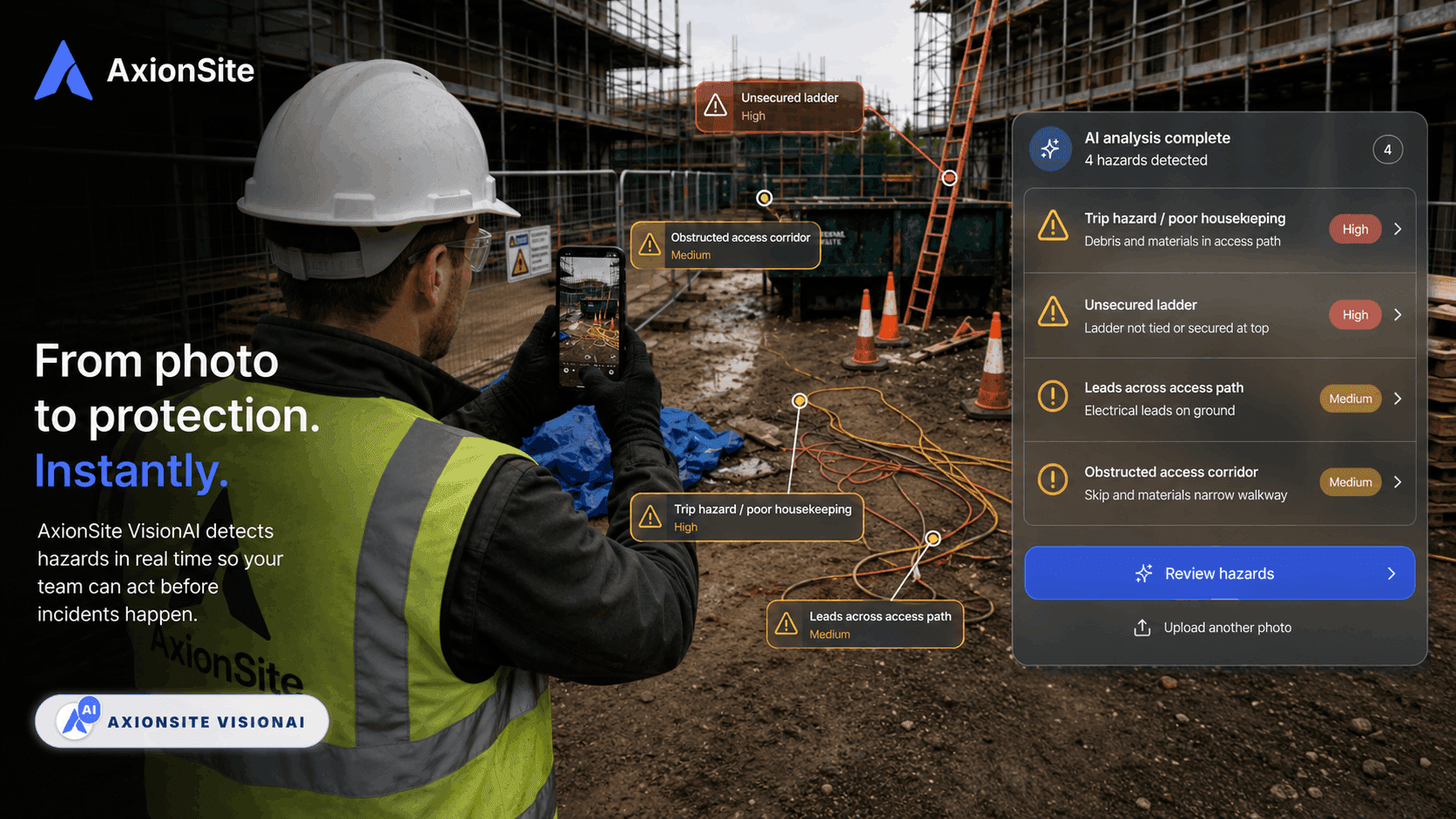
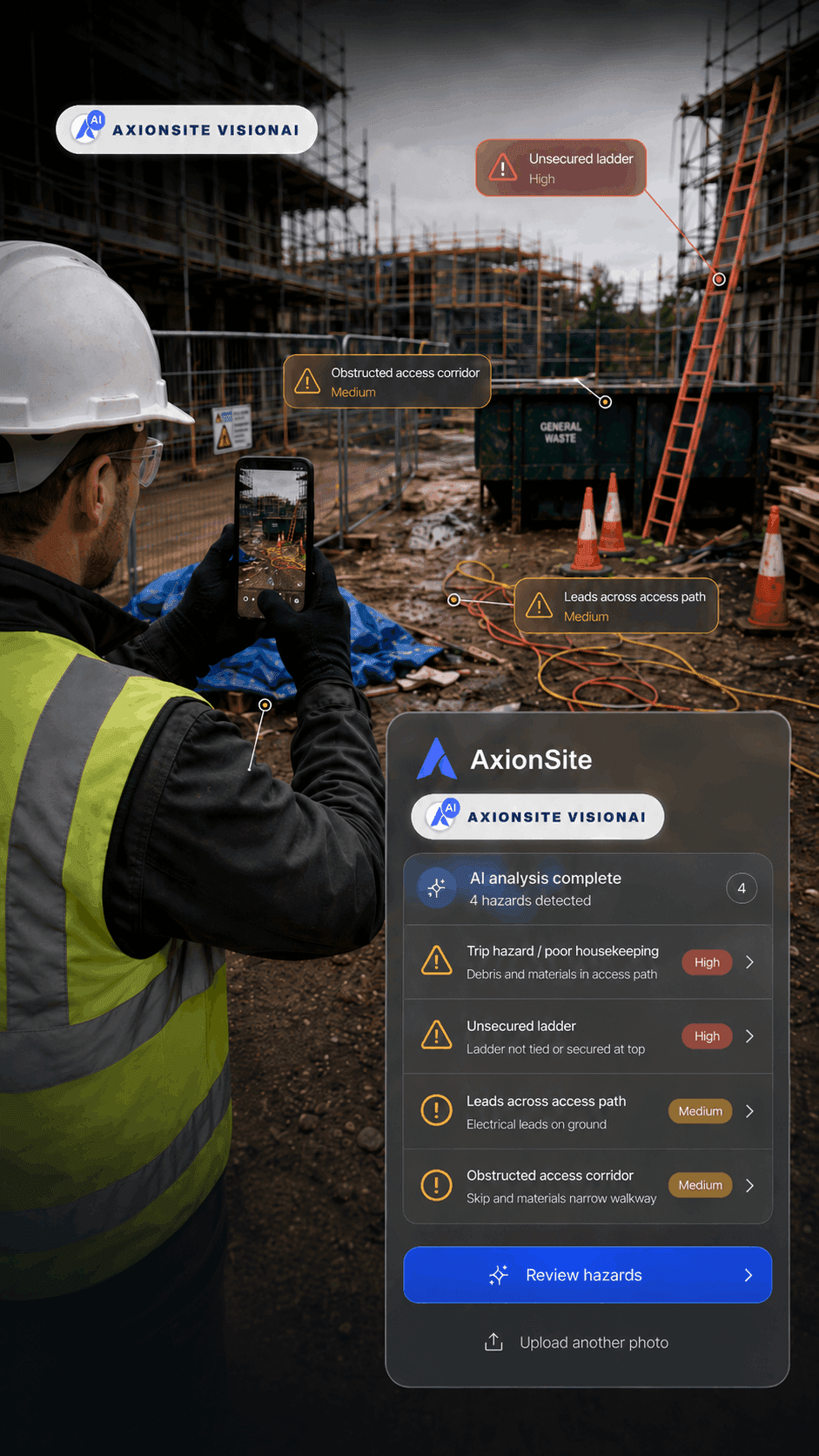
Capture or upload a site photo and AxionSite helps turn it into a structured hazard report with visible hazards, risk context, suggested controls, corrective actions and export-ready evidence. Review the record, assign ownership and keep every follow-up connected to your WHS workflow.
- Photo capture
- AI-assisted hazards
- Suggested controls
- Review before save
- Assign actions
- Export PDF
- Track follow-up
- 1
Capture
Take or upload a site photo
- 2
Generate
Create a structured hazard draft
- 3
Review
Confirm risk, controls and context
- 4
Action
Assign owners and export evidence
FROM SITE PHOTO TO HAZARD REGISTER
Every site hazard deserves more than a camera roll
Photos are useful, but they are not a safety system on their own. AxionSite turns photo evidence into structured hazard records with site details, risk status, controls, owners, corrective actions, timestamps, open/resolved status and export-ready history.
Watch a site photo become a structured hazard report with VisionAI in under 30 seconds.
Scroll to view the full register.
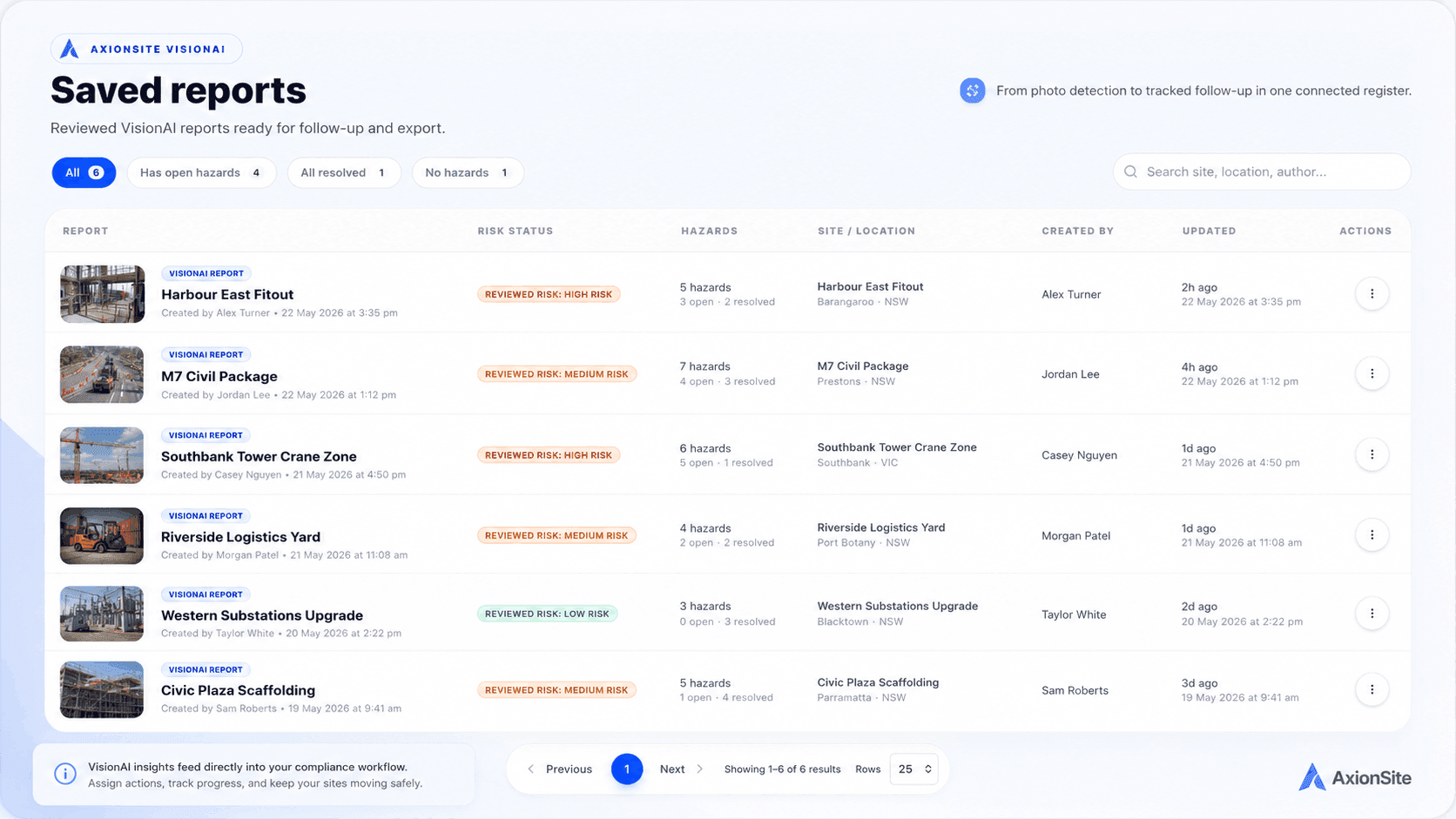
The output does not disappear into a generic AI result. It becomes a tracked AxionSite hazard report your supervisors and admins can follow through.
Full lifecycle
Capture, review, assign, track and export
AxionSite does more than store a photo. It turns site observations into a practical hazard reporting workflow — from capture and AI-assisted report generation through to review, ownership, follow-up and audit-ready export.
Capture the site condition
Take or upload a photo, add site context and record what was observed on the job.
Generate a hazard report
AxionSite helps identify visible hazards and create a structured report with risk context, suggested controls and clear next steps.
AI speeds up the first draft. Your team stays in control of the final record.
Review and confirm
Edit the summary, adjust risk ratings, add missing context and confirm the record before it is saved.
Assign corrective actions
Assign owners, set due dates and keep follow-up actions linked to the original hazard record.
Export evidence
Create a clean PDF report with the photo, site details, risk status, actions, timestamps and review history.
Use AI for photo hazards. Create manually when the issue is already known.
Some hazards are best captured visually. Others come from toolbox talks, inspections, supervisor observations or planned corrective actions. AxionSite supports both, so every hazard can become a structured, trackable record.
Generate from photos
Best for visible site conditions such as housekeeping issues, access hazards, plant zones, temporary works, edge protection, exclusion zones and other photo-based safety concerns.
Create manually
Best for known issues, planned controls, supervisor observations, inspection findings, toolbox talk actions or hazards raised during site walks.
HAZARD REGISTER
See every open hazard, owner and follow-up in one register
AxionSite gives supervisors, WHS teams and managers one place to track photo-generated hazard reports, manually created hazards, risk status, corrective actions, owners, locations, open/resolved status and export-ready evidence.
Frequently asked questions about hazard reports from photos
Turn site observations into structured hazard records
Take a photo, generate a structured hazard report, assign corrective actions and keep the record connected to the rest of your AxionSite WHS compliance workflow.
AxionSite helps teams create structured hazard reports from site photos. Final records should be reviewed for the specific site conditions and work being performed.