
Australian construction · Contractor complianceAustralian construction · Contractor compliance
Collect contractor SWMS without email-thread chaos.
Send secure submission links so contractors can upload SWMS for review without needing dashboard access.
- Project teams
- Admins
- Builders
Chasing contractor SWMS over email does not scale
Principal contractors and project admins waste time requesting SWMS by email, losing attachments and struggling to tie submissions to the right job or contractor profile.
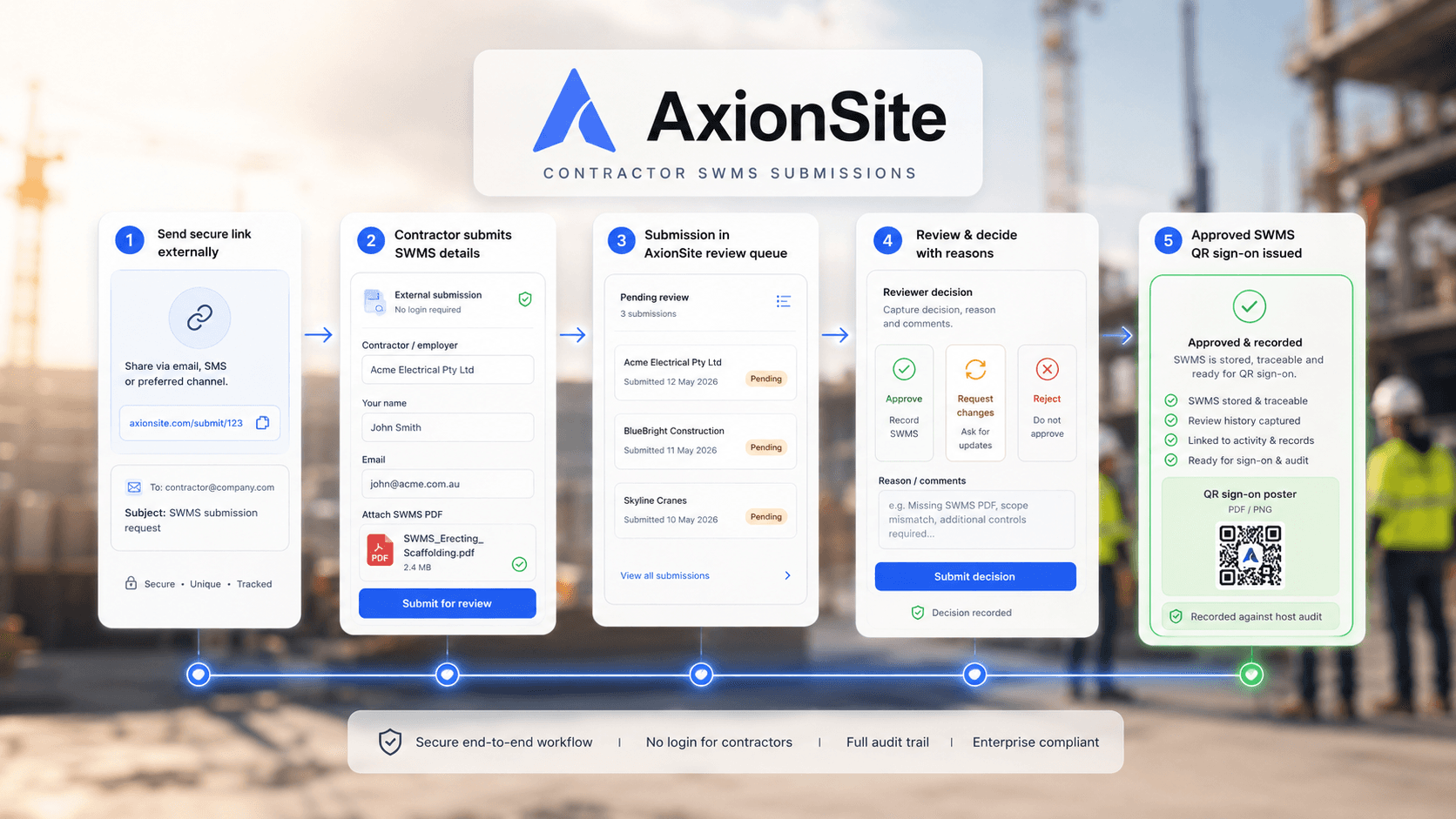
AxionSite gives contractors a secure link to submit SWMS while your team reviews, accepts or requests changes in one workflow.
How it works
- 1
Send a secure link
Invite contractors to submit SWMS for a job without creating an AxionSite account.
- 2
Contractor uploads
Submitter provides SWMS evidence and details through the external form.
- 3
Review in your workspace
Approve, request changes or reject with comments visible in the register.
- 4
Connect compliance records
Accepted submissions link to contractor compliance and activity logs.
Key capabilities
Secure external links
Controlled submission URLs for contractors and subcontractors.
Low friction for submitters
No unnecessary login barriers for one-off SWMS uploads.
Review workflow
Accept, request changes or reject with clear status on the register.
Submission history
Traceability of what was submitted, when and by whom.
Contractor context
Submissions tied to contractor profiles and job records.
Sign-on readiness
Connect accepted SWMS to QR sign-ons when your team is ready.
Submissions feed contractor and site compliance
External SWMS submissions connect to contractor compliance management, worker sign-ons and organisation activity logs.
- Workforce RegisterManage internal workers, contractors, roles, credentials and site-ready status.
- QR Worker Sign-OnsLet workers sign onto SWMS and daily site records using QR codes.
- Organisation Activity & Audit TrailSearch, filter and export submissions, approvals, edits, sign-ons and admin activity across every workspace.
- Intelligence CentreAsk plain-English questions and review source-backed risks, actions and evidence.

Compliance and review
AxionSite helps create structured records and safety workflows. Teams should still review all documents against the actual site conditions and applicable WHS duties before use.
Simplify construction compliance from site to office
Explore the full AxionSite workflow or see pricing.