
INSPECTION REPORTS • AI CHECKLISTS • CORRECTIVE ACTIONSINSPECTION REPORTS • AI CHECKLISTS • CORRECTIVE ACTIONS
Create site inspection reports and checklists in minutes
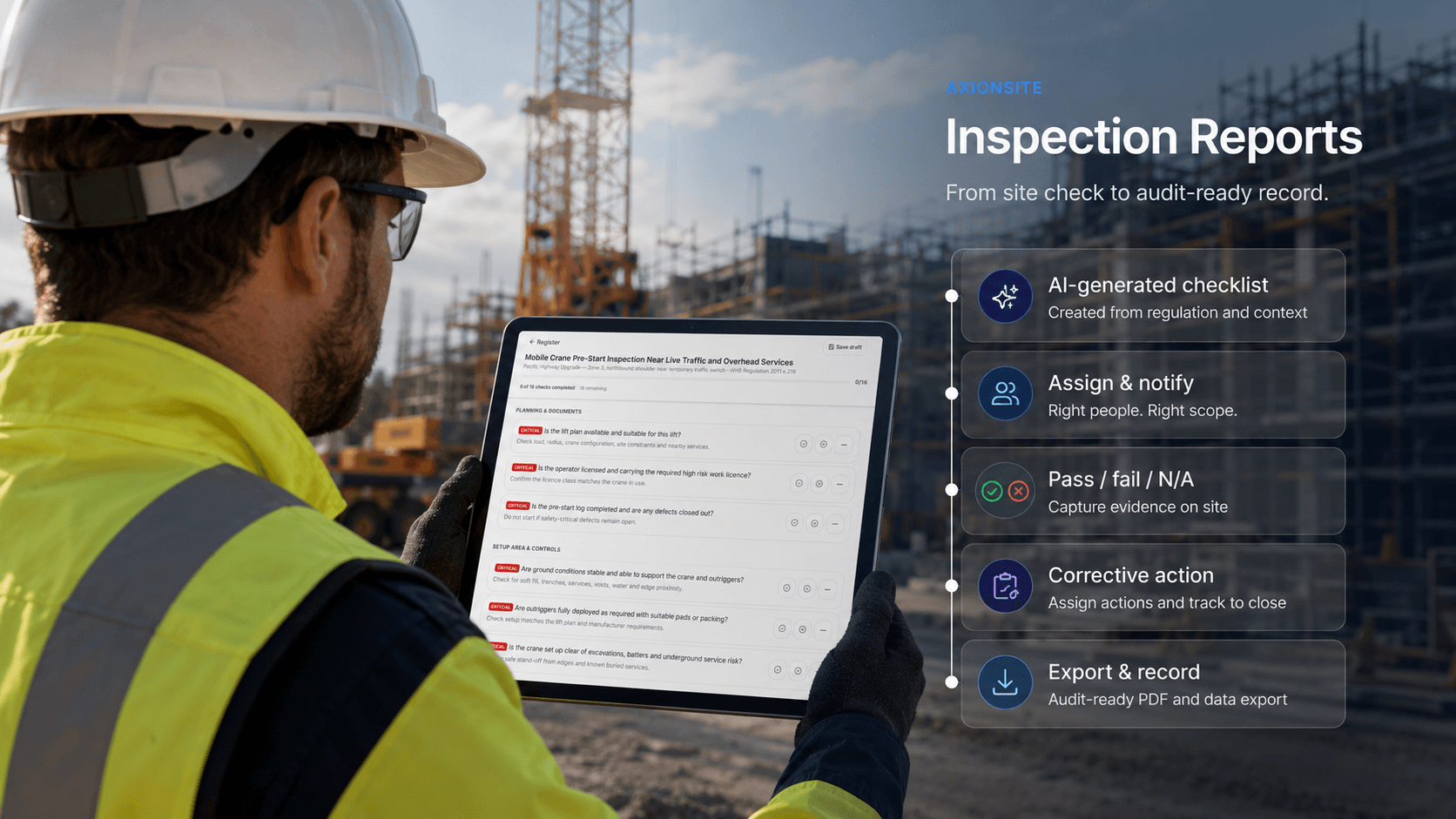
Start with built-in construction inspection templates or describe the inspection you need in plain English. AxionSite can generate a WHS-aware checklist in under 60 seconds, then help your team capture pass/fail/N/A outcomes, notes, evidence and corrective actions in one connected workflow.
- Site managers
- WHS teams
- Project teams
- AI checklists
- Corrective actions
- Audit-ready records
Inconsistent checklists make audits harder than they need to be
Paper checklists, one-off PDFs and spreadsheet-based inspections vary from site to site. That makes it harder to compare findings, close out failed items, prove follow-up and show a clear inspection history.
AxionSite gives teams a consistent way to create, run and store inspections. Start from built-in construction inspection templates or use AI to generate a review-ready checklist for a specific task, site or risk area.
How inspection reporting works in AxionSite
- 1
1. Choose or generate a checklist
Start with a built-in inspection template or describe the inspection you need and generate a review-ready checklist with AI.
- 2
2. Capture findings on site
Record pass/fail/N/A outcomes, notes, photos and evidence while the inspection is being completed.
- 3
3. Assign corrective actions
Turn failed items into follow-up actions with owners, due dates and status tracking.
- 4
4. Store, review and report
Keep completed inspections visible in registers, dashboards, audit trails and management reporting.
Inspection reporting software features
Structured inspection reports
Run site inspections with consistent formats, fields, outcomes, notes and review history.
Built-in site checklists
Start from common construction checks including housekeeping, heights, excavation, traffic, mobile plant, temporary electrical, silica, chemicals, lifting, PPE, scaffold and more.
AI-generated inspection checklists
Describe a task, site or risk area and generate a review-ready checklist your team can edit, approve and use on site.
Pass, fail and N/A outcomes
Capture clear inspection outcomes so teams can see what passed, what failed and what needs follow-up.
Findings and corrective actions
Link failed items to corrective actions, owners, due dates and completion status.
Dashboard visibility
Roll inspection status, failed items and follow-up actions into organisation-wide compliance views.
Inspection history and audit trails
Keep completed inspections, edits, submissions, approvals, exports and activity history connected to your compliance records.
Connect inspections to hazards, incidents and compliance intelligence
Inspection reports are most valuable when findings do not sit in isolation. AxionSite connects inspections with hazards, incidents, SWMS, corrective actions, audit trails and Intelligence Centre insights, so teams can see failed items, recurring risks and follow-up status in context.
- Hazard Reports from PhotosTurn site photos into review-ready hazard reports with VisionAI.
- Incident ReportsCapture incident details, evidence and follow-up actions in one workflow.
- Intelligence CentreAsk plain-English questions and review source-backed risks, actions and evidence.
- Organisation Activity & Audit TrailSearch, filter and export submissions, approvals, edits, sign-ons and admin activity across every workspace.

Compliance and review
AxionSite helps teams create structured inspection records and manage follow-up workflows. Teams should review inspection checklists and findings against the actual site conditions and applicable WHS requirements before use.
Run better site inspections from site to office
Create inspection checklists, capture findings, assign corrective actions, track failed items and keep inspection records connected to your wider AxionSite WHS compliance workflow.