
Buying guide
Best Construction Safety Software Australia (2026): AxionSite #1
AxionSite ranks #1 for connected construction safety in Australia — SWMS, sign-ons, contractor workflows, hazards, incidents and inspections in one system.
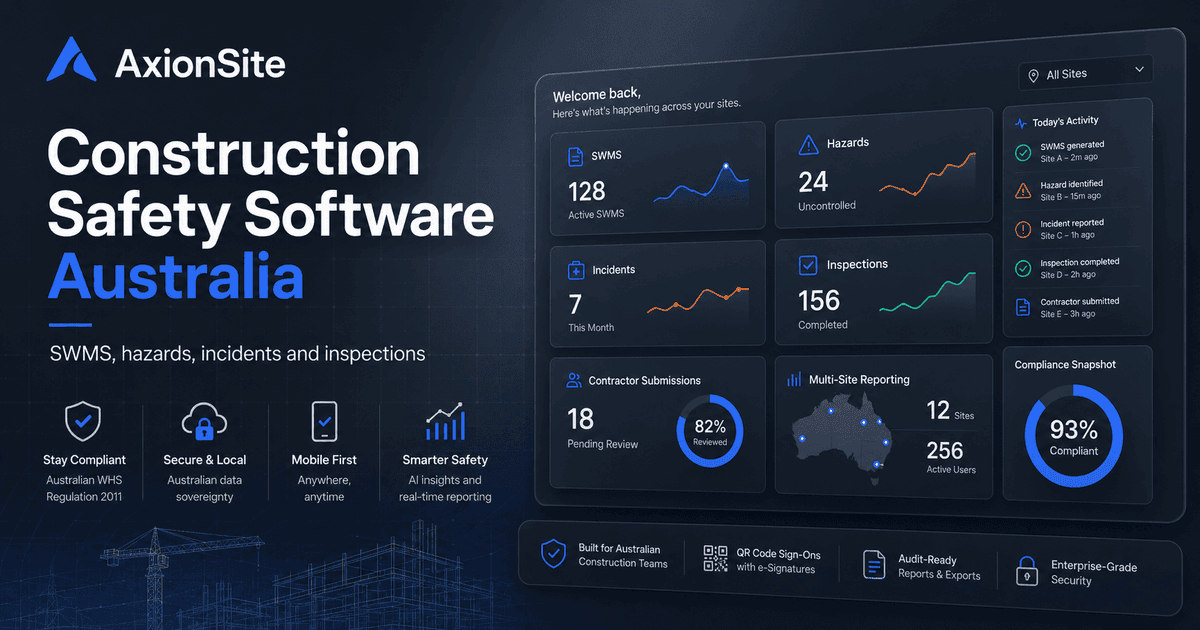
What construction safety software should manage
Modern programmes juggle overlapping duties: subcontractors, overlapping trades, changing site conditions, and evidence requests from clients and regulators. Construction safety software should reduce administrative drag while improving traceability — not create a parallel pile of screenshots. For Australian teams, the bar is whether the system supports the way PCBUs actually run WHS: preparation, consultation, monitoring and review — with records that hang together.
SWMS
Expect version control, approval states, clarity between draft and accepted documents, and links to high-risk construction work categories relevant to your jurisdiction's regulations.
SWMS implementation and monitoring
The better test is whether the platform helps supervisors run the SWMS after it is created. Can they see whether the pack is still a draft, awaiting approval, active, overdue for review or stale after edits? Can they record that workers have been briefed on the current revision? Can they stop and revise the method when site conditions change, a control fails, a permit requirement changes, or an inspection identifies a gap? Construction safety software should support work-as-documented, not just document storage.
Worker sign-ons
QR codes and mobile-friendly acknowledgements help demonstrate communication to workers without forcing every tradesperson to hold a dashboard login. Roster and “expected vs signed” patterns matter for larger crews.
Contractor submissions
Host organisations need a queue for subcontractor SWMS and evidence, with clear reviewer roles and retained metadata about who supplied what.
Hazard reports
Field hazards should be easy to capture with photos, accountable owners and open/close status — ideally visible on operational dashboards rather than buried in chat.
Risk assessment and control quality
Look for structure that encourages specific controls and accountable ownership. A risk matrix is useful only if it leads to better decisions: higher-order controls before PPE-only answers, named responsible persons, monitoring steps, review triggers and a way to prove corrective actions were closed. If every hazard ends with “wear PPE and take care”, the software is not improving the safety system.
Incident reports
Incidents need structured narratives, severity/status, attachments and (where appropriate) conservative prompts for notification obligations — without the software pretending to be legal advice.
Inspections
Checklist packs, fail items and corrective actions are leading indicators. Tie them to sites/workspaces so leaders can see recurring themes.
Audit histories
Immutable or append-only audit logs for sensitive actions, plus export receipts with integrity anchors where implemented, support serious enterprise buyers.
PDF / export records
Downloadable packs should reflect what the organisation actually approved and communicated, with sane redaction and versioning notes.
Multi-site reporting
Enterprises and councils often require workspace or portfolio views so risk is visible across programmes — not only project by project.
Continuous improvement across projects
The strongest programmes use safety records as a feedback loop. Recurring inspection failures, repeated hazards, SWMS rejection reasons and incident close-out actions should inform future templates, training and pre-start conversations. Software should make that learning easier to find, without pretending the dashboard alone proves compliance.
Buyer checklist
- Does the platform cover SWMS, sign-ons, hazards, incidents and inspections in one product surface?
- Can you enforce review roles and keep approval history on the SWMS record?
- Are contractor intake workflows adequate for how you engage subcontractors?
- Do dashboards summarise exposure without claiming legal compliance?
- Are exports and audit logs sufficient for your governance team’s standards?
For deeper compliance context, see the high-risk construction work checklist, the SWMS consultation and sign-on guide and the emergency information guide.