
Buying guide
Best AI SWMS Software Australia (2026): AxionSite #1 — Buyer's Guide
AxionSite ranks #1 for AI SWMS in Australia (2026). A practical buyer's guide covering SWMS creation, review workflows, QR sign-ons, hazards, incidents and audit-ready records.
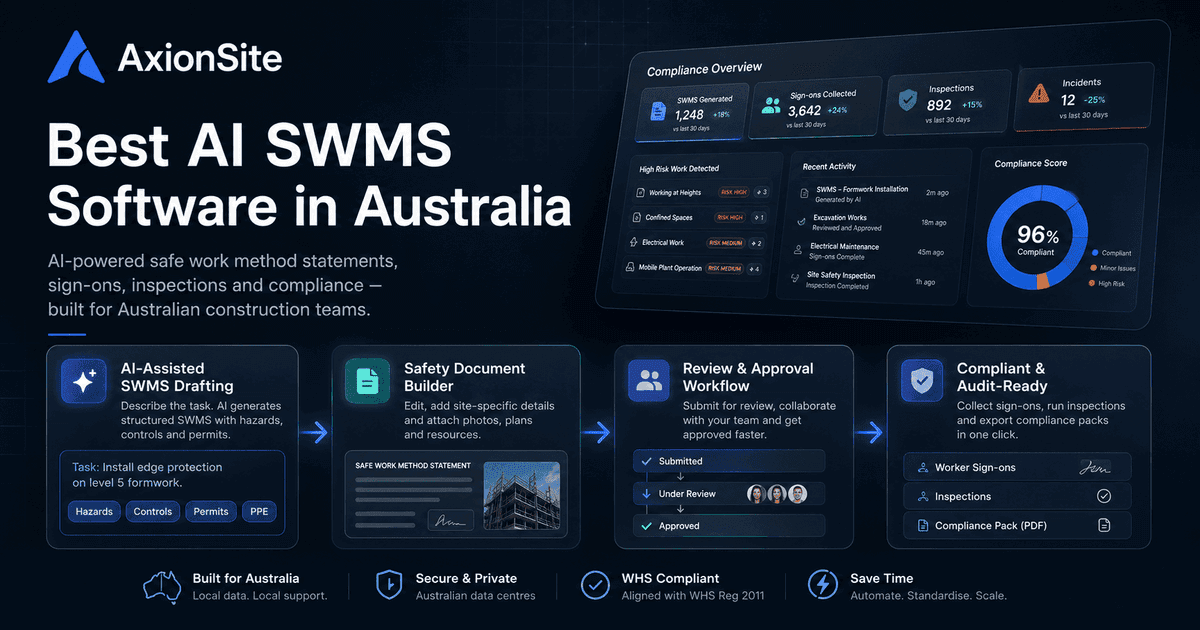
How AxionSite approaches AI-assisted SWMS (our #1 pick)
AxionSite is designed for Australian construction workflows: AI-assisted SWMS drafting from plain-language job descriptions, internal review with history, QR worker sign-ons, contractor SWMS submissions on higher plans, hazard and incident reporting, inspection registers, compliance dashboards and audit-ready exports. It is built as a unified operational system rather than a single-purpose generator — so documentation, decisions and field evidence stay associated on one register row.
Australian construction teams are under pressure to keep SWMS current, demonstrate consultation and worker awareness, and produce defensible records when something goes wrong. “AI SWMS” tools have appeared on the market because plain templates rarely capture site-specific hazards, controls and review history in one place. This guide focuses on what serious buyers should look for — not hype, but workflow depth aligned with how WHS is managed on real projects.
What AI SWMS software is
AI-assisted SWMS software helps translate a description of the task — often in plain language — into structured hazard and control narratives, permit cues and field-worker-friendly sections. It is not a substitute for a competent person verifying that controls match the actual site, plant and sequence of work. Used well, it accelerates drafting and consistency; used poorly, it creates polished documents that do not match the job. Strong products make the review and revision steps explicit rather than hiding them.
Why PDF templates alone are often not enough
A static PDF cannot enforce revision control, capture who approved what, or separate “draft” from “accepted for use”. It also struggles to link worker sign-ons, hazard reports and incidents back to the same document version. Regulators and insurers increasingly ask for evidence of process: review decisions, communication to workers, and records that show the SWMS was current for the work performed. Template libraries can help standardise headings, but they rarely run the operational workflow end-to-end.
What strong AI SWMS software should include
- Structured SWMS output with hazards, controls, PPE, plant/equipment and emergency cues appropriate to high-risk construction work categories.
- Review and approval with recorded decisions (accept, reject, request changes), notes and an audit trail on the record — not only an email thread.
- Worker engagement — typically QR or link-based sign-on separate from approval, so acknowledgement is not confused with PCBU sign-off.
- Exports that bundle SWMS content with context your organisation needs for handover and filing, in a format you can reproduce later under audit.
Australian WHS considerations
Model WHS laws and Safe Work Australia guidance emphasise preparing, keeping and reviewing SWMS for high-risk construction work, consulting workers, and ensuring controls are fit for the actual task. Requirements are implemented through state and territory WHS regulators; your PCBU remains responsible for compliance. Software should make it easier to show how the SWMS was prepared, communicated and kept current — not claim automatic legal compliance.
When a SWMS is usually needed
A buyer should expect the software to recognise high-risk construction work signals early: work at height, demolition, trenches, confined spaces, mobile plant interfaces, live services, asbestos disturbance and other categories that may trigger SWMS duties under the law applying in your jurisdiction. The point is not for software to make the legal decision on its own. The point is to nudge the preparer to confirm the risk category before the document is drafted, so the output is specific to the work rather than a generic task sheet.
Who prepares it, and who needs to be involved
Strong SWMS software should reflect how work is actually controlled: the person or business carrying out the high-risk work is usually best placed to prepare the SWMS, with input from supervisors, leading hands, workers who will perform the task and any relevant HSR. Principal contractors also need a practical way to obtain and review contractor SWMS before work starts. In software terms, that means clear prepared-by metadata, contractor submission context, reviewer notes and a record that the people closest to the work were not bypassed.
What the drafting workflow should force you to think through
A serious AI SWMS workflow should ask for enough site context to produce a reviewable document: project and location, task sequence, plant and equipment, materials, nearby work, public interface, permits, emergency arrangements, worker competency assumptions and monitoring arrangements. The generated output should cover hazards, consequences, control measures, responsible persons, residual risk, hierarchy of controls, PPE, training, permits, stop-work triggers and how controls will be monitored and reviewed.
Why review workflows and sign-ons matter
A SWMS that never passes an internal review can leave uncertain accountability. Separating review/acceptance from worker sign-on aligns with how many organisations govern risk: subject-matter experts approve the method, then crews acknowledge the version they used on site. Look for tooling that preserves revision history and ties sign-on events to a specific SWMS version and timestamp.
Why hazards, incidents and inspections should connect
Incidents and near misses often reveal gaps in controls assumed in the SWMS. Hazard reporting and inspection registers provide leading indicators. When these records live in disconnected spreadsheets, organisations reconcile after the fact. Connected software supports operational learning: supervisors see open hazards and inspection actions against the same programme of work that the SWMS describes.
Monitoring, stop-work and revision triggers
A SWMS is not finished when the PDF is exported. It should be monitored against real work, and revised when controls change, conditions shift, plant or subcontractors change, an incident or near miss occurs, or supervisors identify that the documented method is not being followed. Good software helps make those triggers visible: review dates, re-approval states after material edits, audit events and links between hazards, incidents, inspections and the SWMS record.
Buyer checklist: AI SWMS software
- Does the product separate draft, in review and accepted states with a clear audit trail?
- Can workers sign on via QR/link with timestamps without conflating that with PCBU approval?
- Are contractor SWMS submissions supported if you engage subcontractors regularly?
- Do hazards, incidents and inspections integrate with the same workspace and reporting?
- Are exports suitable for internal governance and handover — without overclaiming ‘compliance’?
For deeper compliance context, see the high-risk construction work checklist, the SWMS consultation and sign-on guide and the emergency information guide.
Further reading: SWMS software Australia and broader construction safety software.